
How to run your shop from one app: sales, stock and suppliers
How shops, mini-markets and small businesses can run sales, payments, stock, supplier orders, customers and an online store from one connected app instead of notebooks and separate tools.

- Running a shop on notebooks and separate apps hides your real stock, cash and profit.
- One connected app updates stock, money and customer records with every sale.
- Look for offline mode, local payment methods, supplier ordering and an app your staff can learn in minutes.
Most small shops run on a mix of tools: a notebook for stock, a calculator for the day’s total, a separate till for mobile money, WhatsApp for supplier orders, and maybe another app for online sales. Each one works on its own, but none of them talk to each other.
The result is a business that is hard to see clearly. How much did you really make today? What is about to run out? Which supplier do you owe? Answering these questions means adding up several records by hand.
Running your shop from one connected app changes that.
What “one app” really means
A business app is not just a digital till. It connects the six things every shop does, so that one action updates everything else:
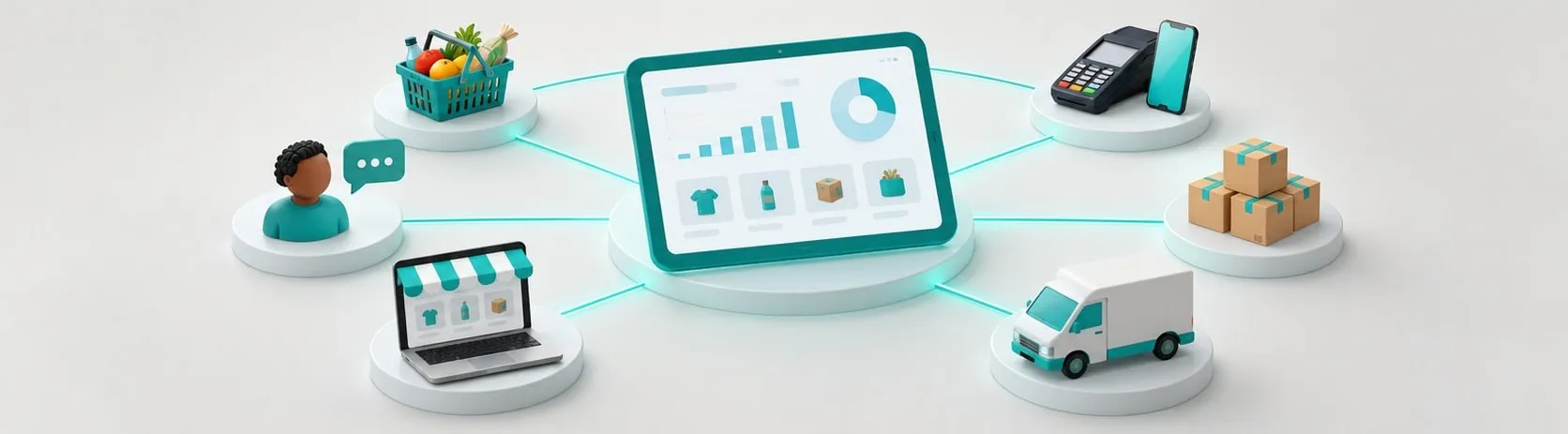
- Sell. Ring up a sale at the counter, online or from a WhatsApp order, by scanning a barcode, tapping a product photo, or searching.
- Get paid. Take cash, card, mobile money and QR payments in one place, each one matched to its sale.
- Track stock. Every sale reduces stock automatically, so you always know what is on the shelf.
- Restock. Get a low-stock alert and send the order straight to your supplier, then check the delivery when it arrives.
- Know your customers. Send receipts by SMS or WhatsApp, remember regular customers and bring them back with offers.
- Grow online. Open an online store that shares the same products, stock and payments as your shop.
A day in a connected shop
- Morning: the app shows that rice and cooking oil are running low. You send the order to your supplier in two taps.
- Midday: a customer pays by mobile money. The sale, the payment and the stock update in one step, and the receipt goes to their phone.
- Afternoon: the supplier delivers. You check what arrived against the order and record a short delivery with a photo.
- Evening: you close the day in a minute: total sales, estimated profit, cash you should have in the drawer, and mobile money settled versus pending.
No notebook, no adding up, no guessing.
What to look for in a shop app
- Works offline. Sales, receipts and stock must keep working when the network drops or data runs out, and sync later without losing anything.
- Local payment methods. Cash, cards, mobile money and QR on one terminal or phone.
- Supplier ordering. Orders, deliveries and supplier balances in the same app as your stock.
- Simple for staff. Big buttons, product photos and roles for each staff member, so new staff can learn it in minutes.
- Made for your type of business. Appointments for salons, tables for cafés, batch and expiry for pharmacies.
- Room to grow. An online store, more branches and reports when you need them, without changing systems.
- Local support. Help with setup and training from people who understand your market.
Signs it is time to switch
- You often run out of popular products without warning.
- The cash in the drawer rarely matches what you expected.
- You can’t say exactly how much profit you made last week.
- Mobile money payments are hard to match to sales.
- You want to sell online but don’t want to manage a second stock list.
How Telxer can help
Rails is Telxer’s business app that puts your whole shop on one connected track: selling, payments, stock, supplier restocking, customers and your online store with your own domain. It keeps working offline, and every payment is processed and matched by TeleMoney. For more on payments, read taking payments online and in store with one provider.
Talk to our team to put your business on Rails.
Frequently asked questions
What is a business app for shops?
It is one app that handles selling, payments, stock, supplier orders, customers and online sales together, so every sale updates everything else automatically instead of being recorded in several places.
Do I need internet for a shop app to work?
A good shop app keeps working offline: you can sell, print or send receipts and update stock without a connection, and it syncs automatically when you are back online.
Can a shop app work for a salon, café or pharmacy?
Yes. The same app switches on what each business needs, such as appointments for salons, tables and kitchen tickets for cafés, or batch and expiry tracking for pharmacies.
Want help applying this? Our team can review your setup and recommend next steps.
Talk to our team

